Restora
for every site
Freeforever
unlimited sites
- full and partial backups
- schedules and retention
- verified restore with rollback
- help in the WordPress.org forum
We use a few cookies to keep the site working. Anything else, like anonymous statistics, only with your permission. Accept all, reject the non-essential, or choose category by category. See our cookie policy.
 RestoraWordPress plugin
Restora backs up a whole WordPress site, or the parts you pick, in short steps that finish on any host. Every restore is checked from start to finish before it changes anything, and steps back on its own if something fails.
v1.0.0 · WordPress 6.0+ · PHP 7.4+ · GPLv2
Restora is listed in the WordPress plugin directory: install it from Plugins › Add New, or read the reviews there.
Restora on WordPress.orgMost backups are only tested on the day they are needed. Restora is built the other way round: the restore is the product, and the backup is how you get there.
It writes one standard zip that you can open anywhere, in slices short enough for the tightest shared hosting, and picks up where it stopped if a request is cut off. When you restore, every file in the archive is verified first, the database is loaded into temporary tables and swapped in one step, and wp-config.php is never overwritten.
Site owners
A free, honest backup that finishes on your hosting and restores in a few clicks.
Freelancers
Encrypted copies on your own storage, and a way to move a client site to a new server in one go.
Agencies
All the sites you look after in one screen, with offsite copies and a recovery page for the bad day.
Real screens from a test site, not mock-ups. Restora uses the WordPress admin's own look, so there is nothing new to learn.
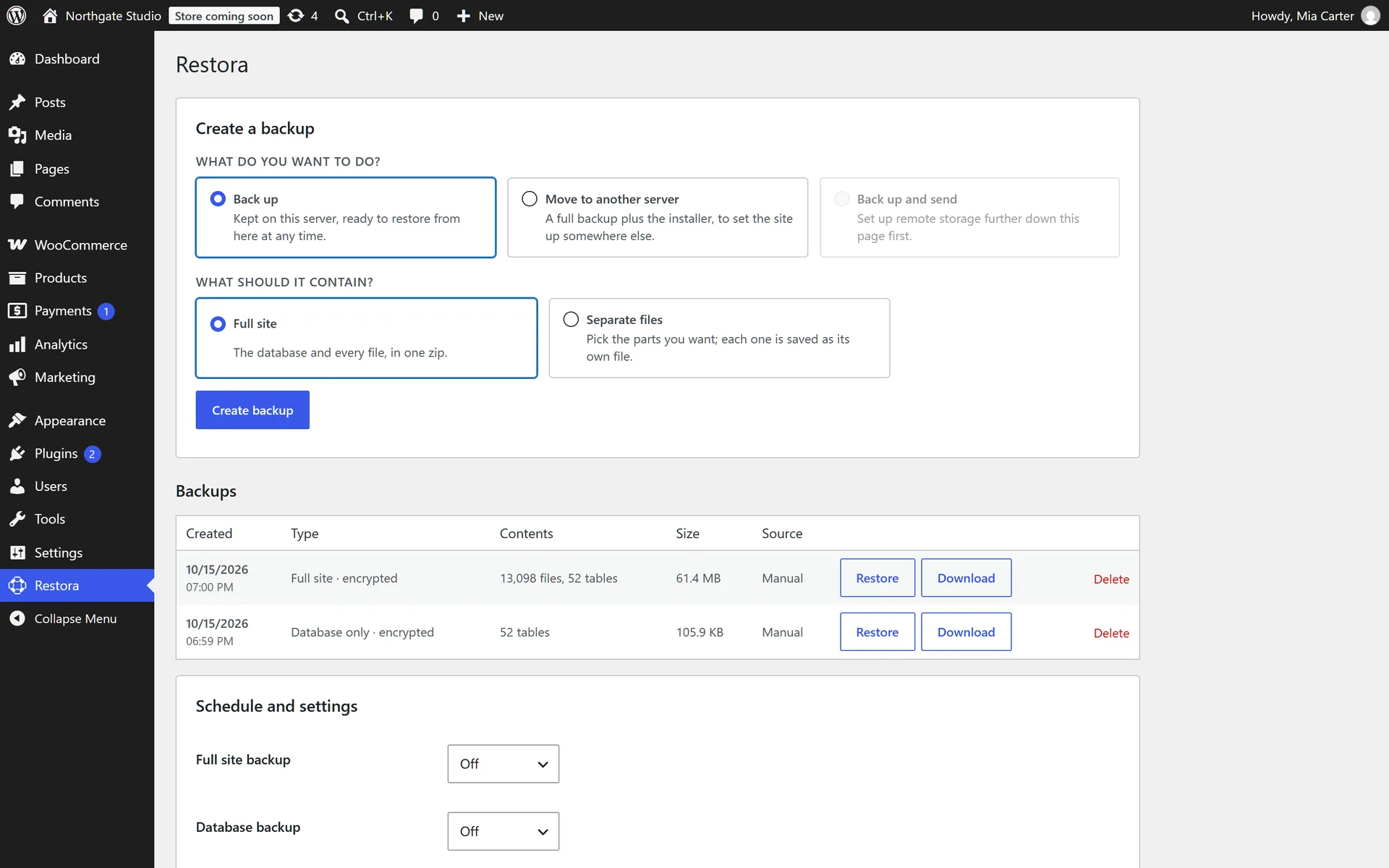
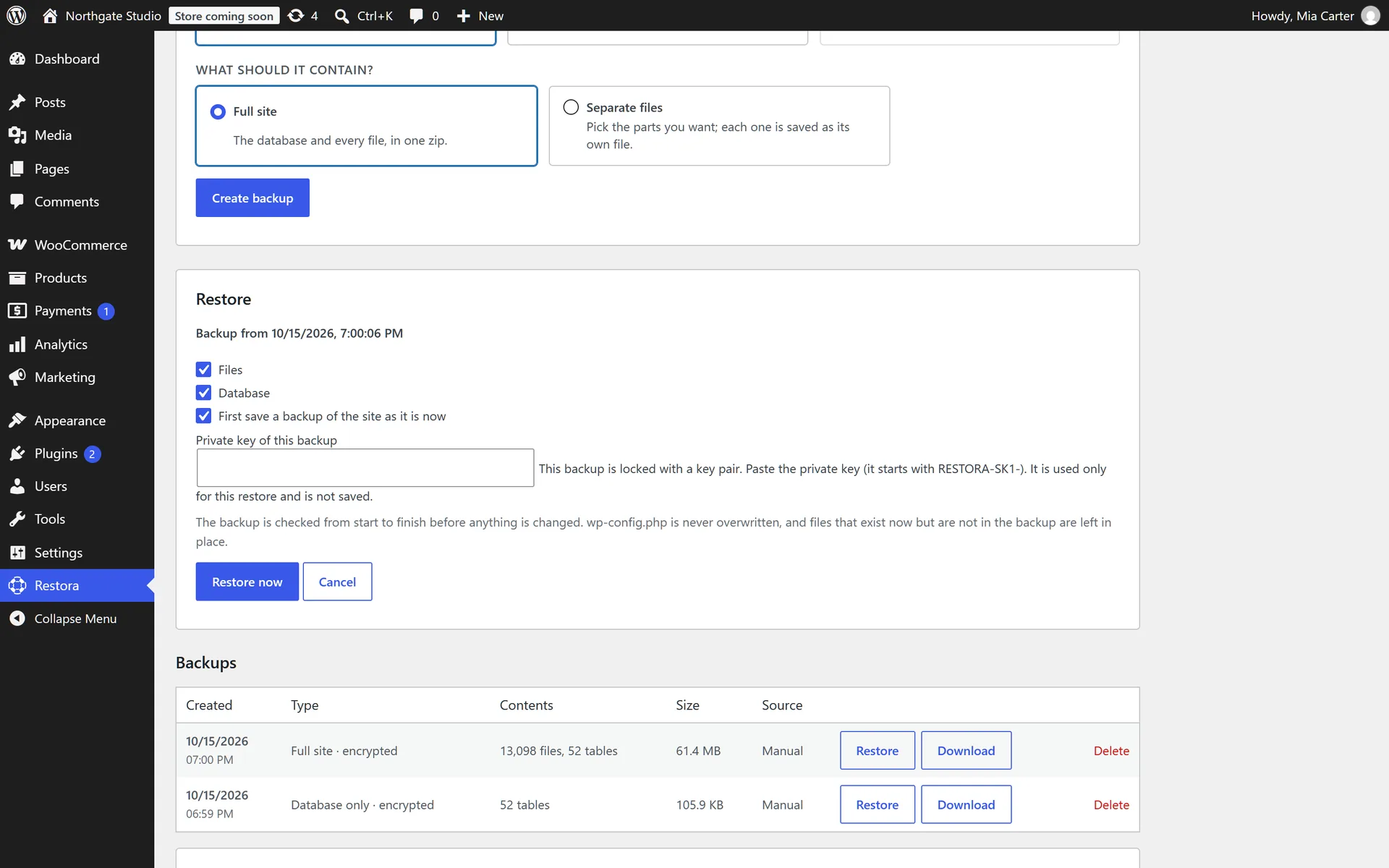
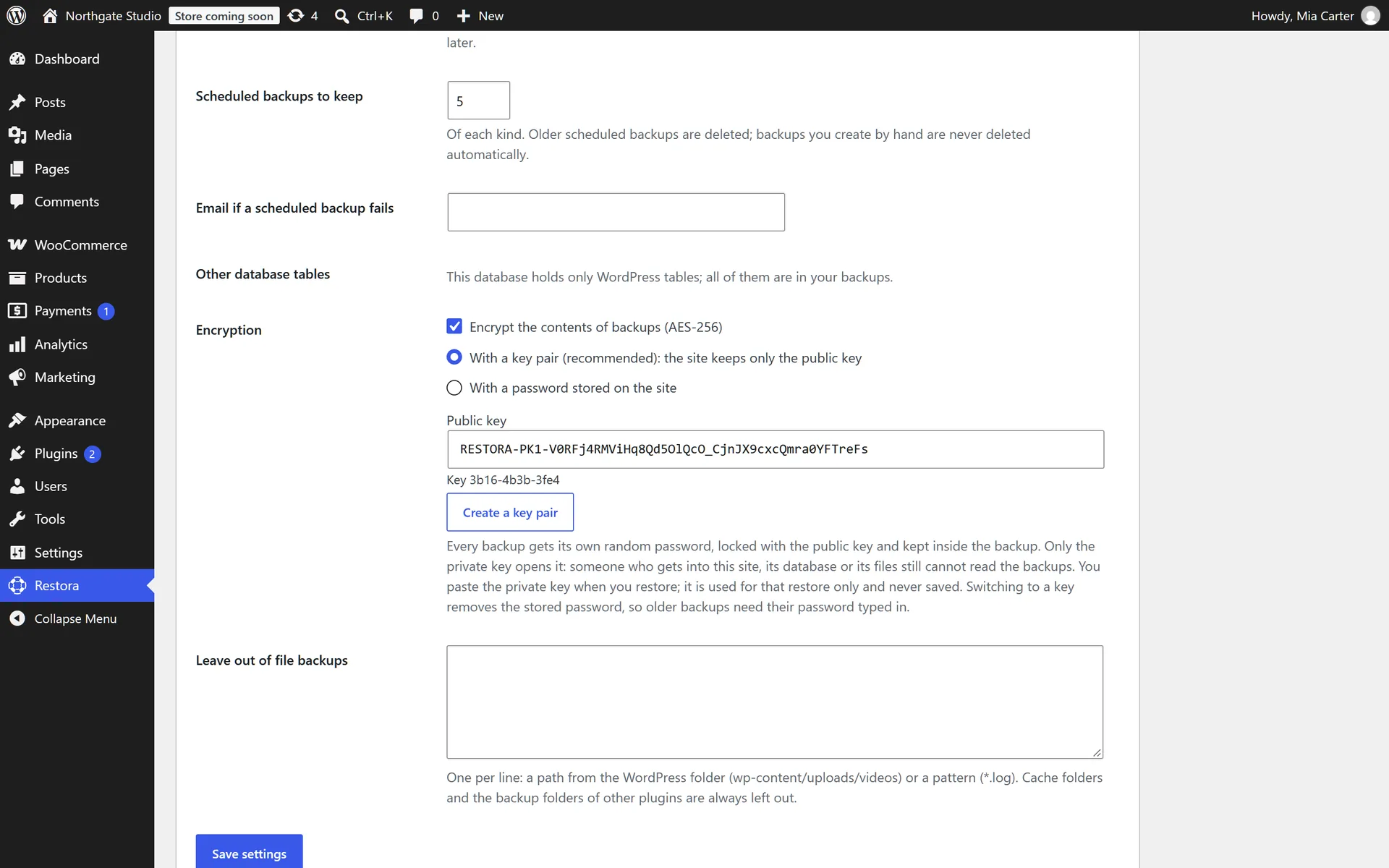
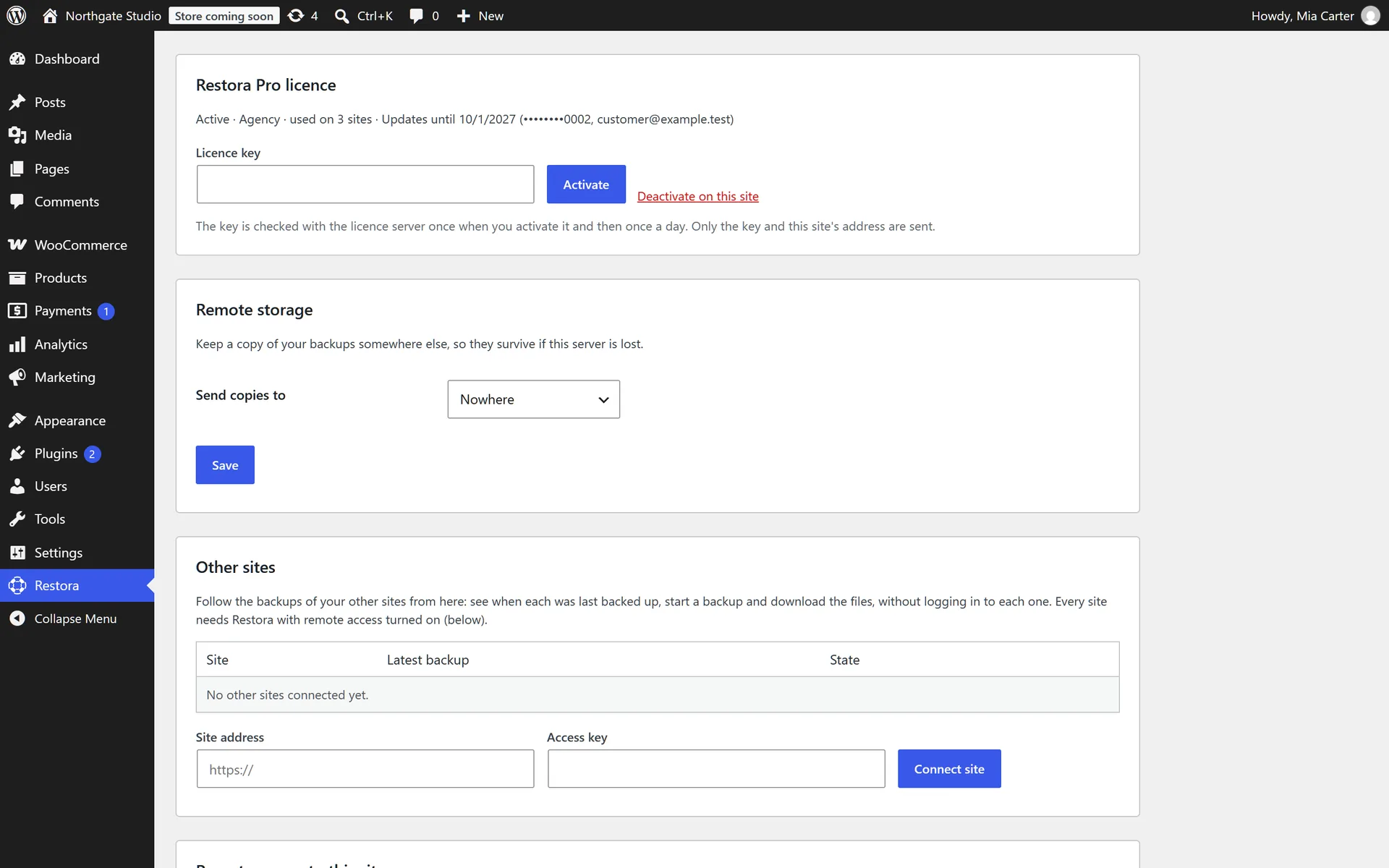
The free plugin is complete on its own: no limits on size, schedules or restores, and nothing locked behind the Pro add-on.
01
Short slices that pause and resume, even in the middle of a large file, so PHP time limits never break a backup.
02
One zip with everything, or the database, plugins, themes, uploads and WordPress files each as their own file.
03
Every entry is verified first; the database is swapped in one step, and a failed step rolls back by itself.
04
Daily, weekly or monthly backups of the site and of the database, keeping only the newest ones.
05
Each backup carries an index of every file's checksum, so a copy changed on its way back is refused.
06
Backups sit in a randomly named, protected folder and can only be downloaded by an administrator.
Every Pro plan has every Pro feature. The plans differ only in how many sites they cover and how fast we answer.
for every site
Freeforever
unlimited sites
for your own site
$49a year
1 site
for freelancers
$99a year
5 sites
for agencies
$199a year
unlimited sites
Yes. Backups, schedules and restores have no limits and no account. Pro adds things the free plugin does not try to do: encryption, offsite storage, the recovery page, moving sites and the multi-site screen.
That is what it was built for. It works in short slices and resumes where it stopped, so a 30-second PHP limit is enough for a site of any size.
Yes. Any Restora backup, encrypted ones included, restores with the free plugin as long as you have its password or private key.
Nobody can open those backups, including us — that is the point. Keep the key in a password manager, and a second copy offline.
Not yet. Restoring one site of a network would break the others, so Restora says so instead of trying.
Write to us and you get an answer from the people who wrote the code, usually within one business day. For a bug, the job log from the backup list helps us answer faster.
runs on any WordPress host, and stores wherever you already pay for
Anyone can zip a folder. The day you need it, the question is whether the restore finishes, and what happens if it does not. Restora was written for that day.
01
Files and database are written in small resumable steps. A 2 GB site completes on shared hosting with a 30-second limit, without touching PHP settings.
backup 2026-10-12
finished in 41 s
 copy to S3queued
02
New files are staged, the originals are kept, and every step is checked. If anything fails, the site goes back to exactly where it was. No half-restored sites.
#rs-main
today

Restora
9:41
nightly-2026-10-12 verified, 18,402 files. Swap it in?

 Restore
 Keep staged
staged 41 s ago
03
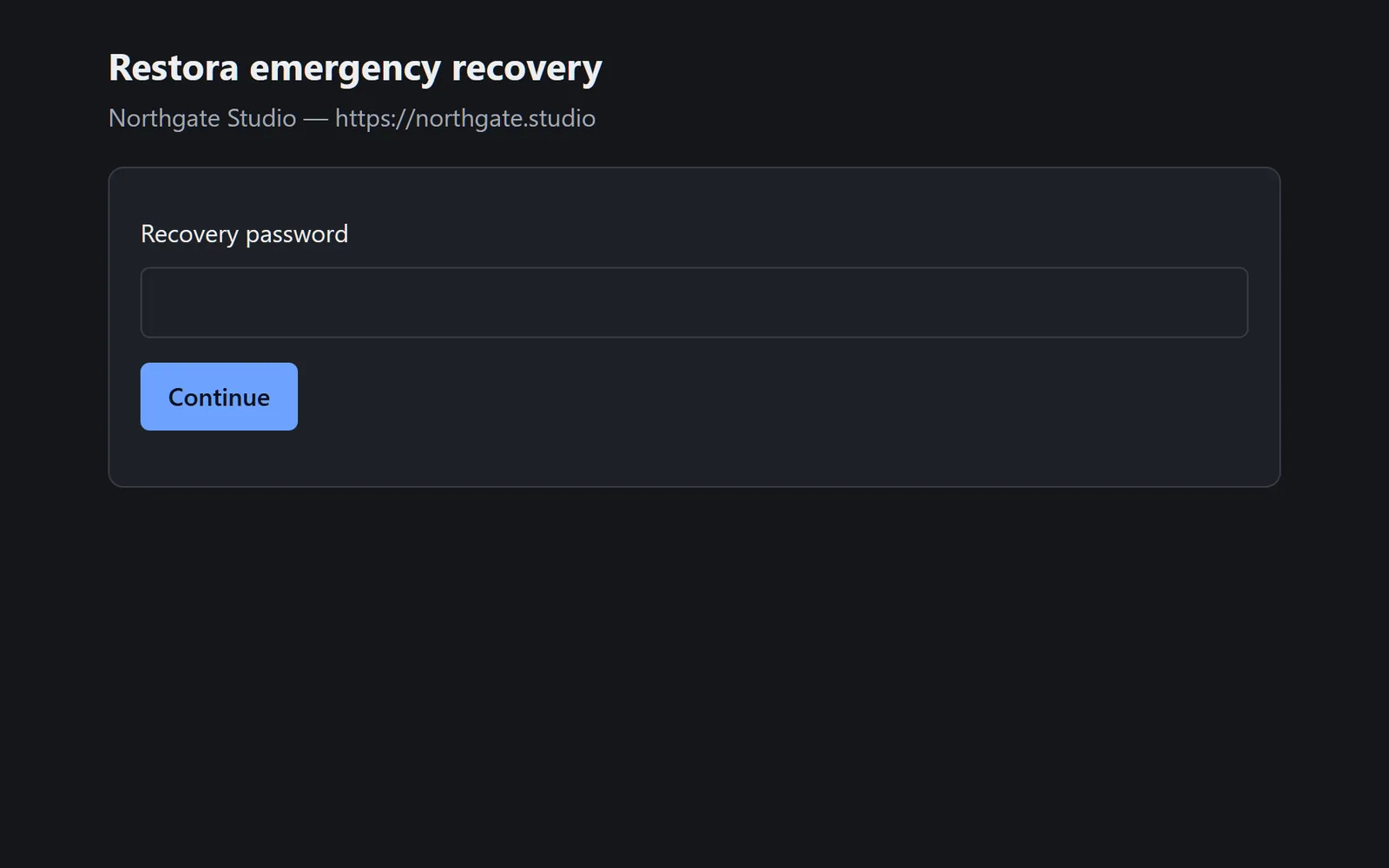
With Pro, a separate, password-protected page restores any backup even when the site shows a white screen or the database is gone. It is set up ahead of time, so it is already there on the bad day.
